









2.2.4 图形化工具virt-manager
centos上管理工具virt-manager
[root@centos8 ~]# export DISPLAY=10.0.0.1:0
[root@centos8 ~]# virt-manager
[root@centos8 ~]# libGL error: No matching fbConfigs or visuals found
libGL error: failed to load driver: swrast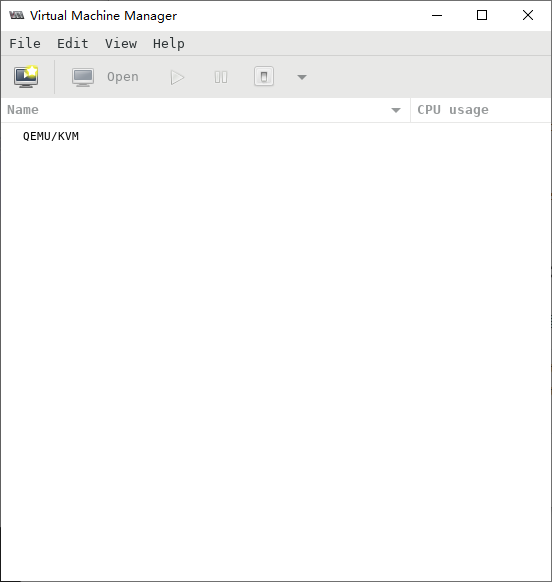
Ubuntu上管理virt-manager
[root@ubuntu2104 ~]# export DISPLAY=10.0.0.1:0
[root@ubuntu2104 ~]# virt-manager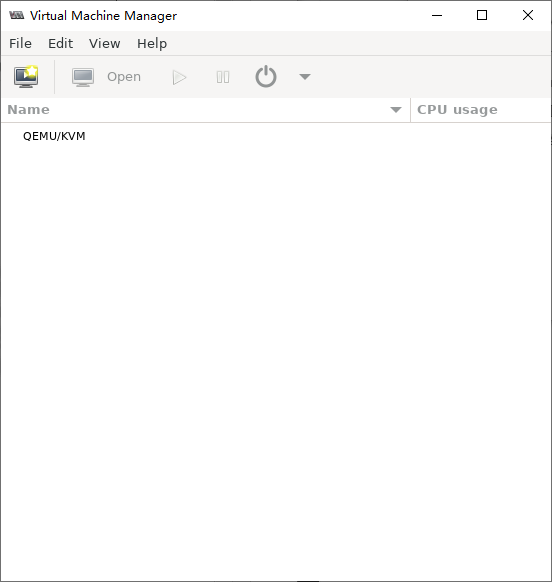
2.2.5 默认网络配置
安装完虚拟工具后,会自动生成一个virbr0网卡,类似于VMware workstation生成的Vmnet8网卡,充当虚拟机的NAT网卡
[root@centos8 ~]# ip a
1: lo: <LOOPBACK,UP,LOWER_UP> mtu 65536 qdisc noqueue state UNKNOWN group default qlen 1000
    link/loopback 00:00:00:00:00:00 brd 00:00:00:00:00:00
    inet 127.0.0.1/8 scope host lo
       valid_lft forever preferred_lft forever
    inet6 ::1/128 scope host
       valid_lft forever preferred_lft forever
2: eth0: <BROADCAST,MULTICAST,UP,LOWER_UP> mtu 1500 qdisc fq_codel state UP group default qlen 1000
    link/ether 00:0c:29:19:bf:73 brd ff:ff:ff:ff:ff:ff
    inet 10.0.0.8/24 brd 10.0.0.255 scope global noprefixroute eth0
       valid_lft forever preferred_lft forever
    inet6 fe80::20c:29ff:fe19:bf73/64 scope link
       valid_lft forever preferred_lft forever
3: virbr0: <NO-CARRIER,BROADCAST,MULTICAST,UP> mtu 1500 qdisc noqueue state DOWN group default qlen 1000
    link/ether 52:54:00:49:93:19 brd ff:ff:ff:ff:ff:ff
    inet 192.168.122.1/24 brd 192.168.122.255 scope global virbr0
       valid_lft forever preferred_lft forever
4: virbr0-nic: <BROADCAST,MULTICAST> mtu 1500 qdisc fq_codel master virbr0 state DOWN group default qlen 1000
    link/ether 52:54:00:49:93:19 brd ff:ff:ff:ff:ff:ff

[root@centos8 ~]# grep -R 192.168.122.1 /etc/libvirt/*
/etc/libvirt/qemu/networks/autostart/default.xml:  <ip address='192.168.122.1' netmask='255.255.255.0'>
/etc/libvirt/qemu/networks/default.xml:  <ip address='192.168.122.1' netmask='255.255.255.0'>

[root@centos8 ~]# ip a show virbr0
3: virbr0: <NO-CARRIER,BROADCAST,MULTICAST,UP> mtu 1500 qdisc noqueue state DOWN group default qlen 1000
    link/ether 52:54:00:49:93:19 brd ff:ff:ff:ff:ff:ff
    inet 192.168.122.1/24 brd 192.168.122.255 scope global virbr0
       valid_lft forever preferred_lft forever

[root@centos8 ~]# cat /etc/libvirt/qemu/networks/default.xml
<!--
WARNING: THIS IS AN AUTO-GENERATED FILE. CHANGES TO IT ARE LIKELY TO BE
OVERWRITTEN AND LOST. Changes to this xml configuration should be made using:
  virsh net-edit default
or other application using the libvirt API.
-->

<network>
  <name>default</name>
  <uuid>99b7bf03-d57e-4b53-8dba-f08d651b5582</uuid>
  <forward mode='nat'/>
  <bridge name='virbr0' stp='on' delay='0'/>
  <mac address='52:54:00:49:93:19'/>
  <ip address='192.168.122.1' netmask='255.255.255.0'>
    <dhcp>
      <range start='192.168.122.2' end='192.168.122.254'/>
    </dhcp>
  </ip>
</network>

[root@centos8 ~]# nmcli connection show virbr0
connection.id:                          virbr0
connection.uuid:                        df403fc2-38a9-40f5-90ce-061602a74466
connection.stable-id:                   --
connection.type:                        bridge
connection.interface-name:              virbr0
connection.autoconnect:                 no
connection.autoconnect-priority:        0
connection.autoconnect-retries:         -1 (default)
connection.multi-connect:               0 (default)
connection.auth-retries:                -1
connection.timestamp:                   1624952172
connection.read-only:                   no
connection.permissions:                 --
connection.zone:                        --
connection.master:                      --
connection.slave-type:                  --
connection.autoconnect-slaves:          -1 (default)
connection.secondaries:                 --
connection.gateway-ping-timeout:        0
connection.metered:                     unknown
connection.lldp:                        default
connection.mdns:                        -1 (default)
connection.llmnr:                       -1 (default)
connection.wait-device-timeout:         -1
ipv4.method:                            manual
ipv4.dns:                               --
ipv4.dns-search:                        --
ipv4.dns-options:                       --
ipv4.dns-priority:                      100
ipv4.addresses:                         192.168.122.1/24
ipv4.gateway:                           --
ipv4.routes:                            --
ipv4.route-metric:                      -1
ipv4.route-table:                       0 (unspec)
ipv4.routing-rules:                     --
ipv4.ignore-auto-routes:                no
ipv4.ignore-auto-dns:                   no
ipv4.dhcp-client-id:                    --
ipv4.dhcp-iaid:                         --
ipv4.dhcp-timeout:                      0 (default)
ipv4.dhcp-send-hostname:                yes
ipv4.dhcp-hostname:                     --
ipv4.dhcp-fqdn:                         --
ipv4.dhcp-hostname-flags:               0x0 (none)
ipv4.never-default:                     no
ipv4.may-fail:                          yes
ipv4.dad-timeout:                       -1 (default)
ipv4.dhcp-vendor-class-identifier:      --
ipv6.method:                            ignore
ipv6.dns:                               --
ipv6.dns-search:                        --
ipv6.dns-options:                       --
ipv6.dns-priority:                      100
ipv6.addresses:                         --
ipv6.gateway:                           --
ipv6.routes:                            --
ipv6.route-metric:                      -1
ipv6.route-table:                       0 (unspec)
ipv6.routing-rules:                     --
ipv6.ignore-auto-routes:                no
ipv6.ignore-auto-dns:                   no
ipv6.never-default:                     no
ipv6.may-fail:                          yes
ipv6.ip6-privacy:                       -1 (unknown)
ipv6.addr-gen-mode:                     stable-privacy
ipv6.ra-timeout:                        0 (default)
ipv6.dhcp-duid:                         --
ipv6.dhcp-iaid:                         --
ipv6.dhcp-timeout:                      0 (default)
ipv6.dhcp-send-hostname:                yes
ipv6.dhcp-hostname:                     --
ipv6.dhcp-hostname-flags:               0x0 (none)
ipv6.token:                             --
bridge.mac-address:                     --
bridge.stp:                             yes
bridge.priority:                        32768
bridge.forward-delay:                   2
bridge.hello-time:                      2
bridge.max-age:                         20
bridge.ageing-time:                     300
bridge.group-forward-mask:              0
bridge.multicast-hash-max:              512
bridge.multicast-snooping:              yes
bridge.vlan-filtering:                  no
bridge.vlan-default-pvid:               1
bridge.vlans:                           --
proxy.method:                           none
proxy.browser-only:                     no
proxy.pac-url:                          --
proxy.pac-script:                       --
GENERAL.NAME:                           virbr0
GENERAL.UUID:                           df403fc2-38a9-40f5-90ce-061602a74466
GENERAL.DEVICES:                        virbr0
GENERAL.IP-IFACE:                       virbr0
GENERAL.STATE:                          activated
GENERAL.DEFAULT:                        no
GENERAL.DEFAULT6:                       no
GENERAL.SPEC-OBJECT:                    --
GENERAL.VPN:                            no
GENERAL.DBUS-PATH:                      /org/freedesktop/NetworkManager/ActiveConnecti>
GENERAL.CON-PATH:                       /org/freedesktop/NetworkManager/Settings/2
GENERAL.ZONE:                           --
GENERAL.MASTER-PATH:                    --
IP4.ADDRESS[1]:                         192.168.122.1/24
IP4.GATEWAY:                            --
IP4.ROUTE[1]:                           dst = 192.168.122.0/24, nh = 0.0.0.0, mt = 0
IP6.GATEWAY:                            --
ubuntu网络配置
[root@ubuntu2104 ~]# ip a
1: lo: <LOOPBACK,UP,LOWER_UP> mtu 65536 qdisc noqueue state UNKNOWN group default qlen 1000
    link/loopback 00:00:00:00:00:00 brd 00:00:00:00:00:00
    inet 127.0.0.1/8 scope host lo
       valid_lft forever preferred_lft forever
    inet6 ::1/128 scope host
       valid_lft forever preferred_lft forever
2: eth0: <BROADCAST,MULTICAST,UP,LOWER_UP> mtu 1500 qdisc fq_codel state UP group default qlen 1000
    link/ether 00:0c:29:67:87:fa brd ff:ff:ff:ff:ff:ff
    altname enp2s1
    altname ens33
    inet 10.0.0.9/24 brd 10.0.0.255 scope global eth0
       valid_lft forever preferred_lft forever
    inet6 fe80::20c:29ff:fe67:87fa/64 scope link
       valid_lft forever preferred_lft forever
3: virbr0: <NO-CARRIER,BROADCAST,MULTICAST,UP> mtu 1500 qdisc noqueue state DOWN group default qlen 1000
    link/ether 52:54:00:c4:9b:3e brd ff:ff:ff:ff:ff:ff
    inet 192.168.122.1/24 brd 192.168.122.255 scope global virbr0
       valid_lft forever preferred_lft forever

[root@ubuntu2104 ~]# apt install bridge-utils -y
[root@ubuntu2104 ~]# brctl show
bridge name     bridge id               STP enabled     interfaces
virbr0          8000.525400c49b3e       yes

[root@ubuntu2104 ~]# cat /etc/libvirt/qemu/networks/default.xml
<!--
WARNING: THIS IS AN AUTO-GENERATED FILE. CHANGES TO IT ARE LIKELY TO BE
OVERWRITTEN AND LOST. Changes to this xml configuration should be made using:
  virsh net-edit default
or other application using the libvirt API.
-->

<network>
  <name>default</name>
  <uuid>733e725e-0a69-44b4-9c8f-d71e5fe29399</uuid>
  <forward mode='nat'/>
  <bridge name='virbr0' stp='on' delay='0'/>
  <mac address='52:54:00:c4:9b:3e'/>
  <ip address='192.168.122.1' netmask='255.255.255.0'>
    <dhcp>
      <range start='192.168.122.2' end='192.168.122.254'/>
    </dhcp>
  </ip>
</network>
2.4 准备安装系统的ISO相关文件
将需要安装的系统的ISO文件上传到宿主机
[root@centos8 ~]# mkdir -pv /data/isos
mkdir: created directory '/data/isos'
[root@centos8 ~]# ll -h /data/isos/
total 5.9G
-rw-r--r-- 1 root root 973M Jun 29 16:06 CentOS-7-x86_64-Minimal-2009.iso
-rw-r--r-- 1 root root 1.8G Jun 29 15:57 CentOS-8.3.2011-x86_64-minimal.iso
-rw-r--r-- 1 root root 3.2G Jun 29 16:07 cn_windows_server_2008_r2_standard_enterprise_datacenter_and_web_with_sp1_vl_build_x64_dvd_617396.iso
2.5 AMD CPU创建虚拟机时的故障排错
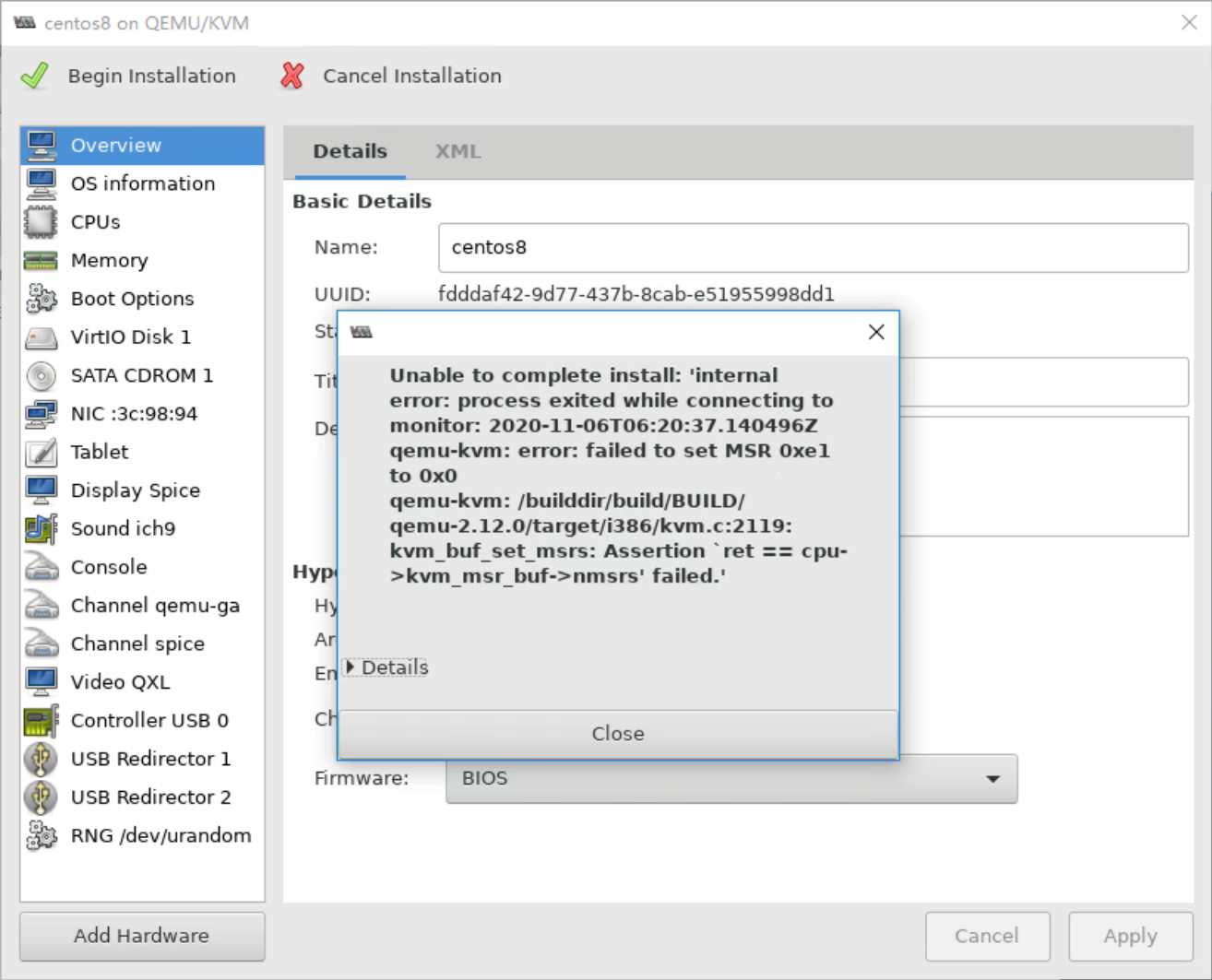
AMD CPU使用virt-manager或virt-install在创建虚拟机可能会出错,用下面方法解决
2.5.1 AMD CPU使用virt-manager创建虚拟机出错提示
2.5.2 AMD CPU使用virt-install创建虚拟机出错提示
[root@centos8 ~]# virt-install --virt-type kvm --name centos7 --ram 1024 --vcpus 2 --cdrom=/data/isos/CentOS-7-x86_64-Minimal-2009.iso --disk path=/var/lib/libvirt/images/centos7.qcow2 --network network=default --graphics vnc,listen=0.0.0.0 --noautoconsole

# 有一个msrs的错误
2.5.3 AMD CPU创建虚拟机故障修复方法
# 修复以上故障
[rootecentos8 ~]# tee /etc/modprobe.d/qemu-system-x86.conf << EOF
> options kvm ignore_msrs=1
> EOF
options kvm ignore_msrs=1
[rootacentos8 ~]# reboot
Comments | NOTHING