









1、总结ssh常用参数、用法
ssh命令格式:
ssh [user@host] [COMMAND]
ssh [-l user] host [COMMAND]
常用参数
-p port     # 远程服务器监听的端口
-b          # 指定连接的源IP
-v          # 调试模式
-c          # 压缩方式
-X          # 支持x11转发
-t          # 强制伪tty分配,如: ssh -t remoteserver1 ssh -t remoteserver2 ssh remoteserver3
-o option   # 如: -o StrictHostKeyChecking=no
-i <file> # 指定私钥文件路径,实现基于key验证,默认使用文件: ~/.ssh/id_dsa,~/.ssh/id_ecdsa,~/.ssh/id_ed25519,~/.ssh/id_rsa等
用法范例:
# 远程连接10.0.0.7
[root@centos8 ~]# ssh 10.0.0.7
The authenticity of host '10.0.0.7 (10.0.0.7)' can't be established.
ECDSA key fingerprint is SHA256:BvEOFVidIWSNe478SZ34jegCVOHesBaPh7bWvtccBkU.
Are you sure you want to continue connecting (yes/no/[fingerprint])? yes    # 输入yes
Warning: Permanently added '10.0.0.7' (ECDSA) to the list of known hosts.
root@10.0.0.7's password:
Last login: Fri Jul 30 20:27:19 2021 from 10.0.0.1
[root@centos7 ~]# hostname -I
10.0.0.7

# 从centos8远程连接到10.0.0.7在远程到10.0.0.9
[root@centos8 ~]# ssh -t 10.0.0.7 ssh 10.0.0.9
root@10.0.0.7's password:  # 输入10.0.0.7的密码
The authenticity of host '10.0.0.9 (10.0.0.9)' can't be established.
ECDSA key fingerprint is SHA256:zmm8YorVQcs3NdLjUS67/ANg8lVRGg+VVMTXtFezCVY.
ECDSA key fingerprint is MD5:c1:8b:a8:57:b5:fd:aa:94:1e:f1:13:1a:1c:5b:71:a7.
Are you sure you want to continue connecting (yes/no)? yes  # 首次连接都得输入yes确认密钥
Warning: Permanently added '10.0.0.9' (ECDSA) to the list of known hosts.
root@10.0.0.9's password:  # 输入10.0.0.9的密码
Last login: Fri Jul 30 13:38:00 2021 from 10.0.0.1
[root@ubuntu1804 ~]# hostname -I
10.0.0.9

# 远程执行命令
[root@centos8 ~]# ssh 10.0.0.7 hostname -I
root@10.0.0.7's password:
10.0.0.7
[root@centos8 ~]#
2、总结sshd服务常用参数
服务器端:sshd服务
服务器端的配置文件:/etc/ssh/sshd_config
服务器端配置文件的帮助:man 5 sshd_config
客户端的配置文件:/etc/ssh/ssh_config
客户端配置文件的帮助:man 5 ssh_config
# 查看sshd来自哪个包
[root@centos8 ~]# rpm -qf `which sshd`
openssh-server-8.0p1-5.el8.x86_64

# 查看客户端来自哪个包
[root@centos8 ~]# rpm -qf /etc/ssh/ssh_config
openssh-clients-8.0p1-5.el8.x86_64
服务器配置文件常用参数:
Port                        # 端口号
ListenAddress ip            # 监听地址
LoginGraceTime 2m           # 如果用户未成功连接,服务器将在此之后断开连接登录。如果该值为0,则没有时间限制。默认值是120秒
PermitRootLogin yes         # 默认ubuntu不允许root远程ssh登录
StrictModes yes             # 检查.ssh/文件的的所有者,权限等
MaxAuthTries 6              #Specifies the maximum number of authentication attempts permitted per con‐nection.  Once the number of failures reaches half this value, additionalfailures are logged.  The default is 6.
MaxSessions 10              # 同一个连接最大会话
PubkeyAuthentication yes    # 基于key验证
PermitEmptyPasswords no     # 空密码连接
PasswordAuthentication yes  # 基于用户名和密码连接
GSSAPIAuthentication yes    # 提高速度可改为no
GatewayPorts no             # 作为网关功能
ClientAliveInterval 10      # 单位:秒
ClientAliveCountMax 3       # 默认3
UseDNS yes                  # 提高速度可改为no
MaxStartups                 # 未认证连接最大值,默认值10
Banner /path/file

# 以下可以限制可登录用户的办法:
Allowdusers user1 user2 user3
Denyusers user1 user2 user3
AllowGroups g1 g2
DenyGroups g1 g2
设置ssh空闲60s自动注销
vim /etc/ssh/sshd_config
ClientAliveInterval 60
ClientAliveCountMax 0

service sshd restart
# 注意:断开一个连接才有效
解决ssh登录缓慢的问题
vim /etc/ssh/sshd_config
UseDNS no
GSSAPIAuthentication no

systemctl restart sshd
在ubuntu上启用root远程ssh登录
vim /etc/ssh/sshd_config
#PermitRootLogin prohibit-password # 注释掉此行
PermitRootLogin yes   # 修改为yes

systemctl restart sshd
ssh服务的最佳实践
- 建议使用非默认端口
- 禁止使用protocol version 1
- 限制可登录用户
- 设定空闲会话超时时长
- 利用防火墙设置ssh访问策略
- 仅监听特定的IP地址
- 基于口令认证时,使用强密码策略,比如:tr -dc A-Za-z0-9_ < /dev/urandom|head -c 12|xargs
- 使用基于密钥的认证
- 禁止使用空密码
- 禁止root用户直接登录
- 限制ssh的访问频度和并发在线数
- 经常分析日志
3、PAM和google模块实现ssh双因子安全验证
pam_google_authenticator模块
功能:实现SSH登录的两次身份验证,先验证APP的数字码,再验证root用户的密码,都通过才可以登录。目前只支持口令验证,不支持基于key的验证
官方网站:https://github.com/google/google-authenticator-android
3.1 去playstore下载身份验证器或authenticator,并安装app
3.2 安装google-authenticator(需要联网EPEL源)
[root@centos8 ~]# yum install google-authenticator -y
[root@centos8 ~]# dnf info google-authenticator
Last metadata expiration check: 0:01:28 ago on Wed 28 Apr 2021 05:17:02 PM CST.
Installed Packages
Name         : google-authenticator
Version      : 1.07
Release      : 1.el8
Architecture : x86_64
Size         : 135 k
Source       : google-authenticator-1.07-1.el8.src.rpm
Repository   : @System
From repo    : epel
Summary      : One-time pass-code support using open standards
URL          : https://github.com/google/google-authenticator-libpam/
License      : ASL 2.0
Description  : The Google Authenticator package contains a plug-able authentication
             : module (PAM) which allows login using one-time pass-codes conforming to
             : the open standards developed by the Initiative for Open Authentication
             : (OATH) (which is unrelated to OAuth).
             :
             : Pass-code generators are available (separately) for several mobile
             : platforms.
             :
             : These implementations support the HMAC-Based One-time Password (HOTP)
             : algorithm specified in RFC 4226 and the Time-based One-time Password
             : (TOTP) algorithm currently in draft.
3.3 运行google-authenticator
[root@centos8 ~]# google-authenticator

Do you want authentication tokens to be time-based (y/n) y
# 您希望身份验证令牌是基于时间的吗(y/n)
Warning: pasting the following URL into your browser exposes the OTP secret to Google:
  https://www.google.com/chart?chs=200x200&chld=M|0&cht=qr&chl=otpauth://totp/root@centos8%3Fsecret%3DVWZBQSHESMS4HYOSOI357TWWUQ%26issuer%3Dcentos8   # 浏览器打开此地址
# 警告:将以下URL粘贴到浏览器中会向Google公开OTP机密:
# 去浏览器输入该链接,将生成一个二维码,用手机去扫码绑定,然后输入动态码
Failed to use libqrencode to show QR code visually for scanning.
Consider typing the OTP secret into your app manually.
Your new secret key is: VWZBQSHESMS4HYOSOI357TWWUQ
Enter code from app (-1 to skip): 731560   # 输入动态码
Code confirmed
Your emergency scratch codes are:
  85508025
  84196673
  85284832
  81993642
  20817631

Do you want me to update your "/root/.google_authenticator" file? (y/n) y
# 你希望我更新你的"/root/.google_authenticator"文件吗?(y/n)
Do you want to disallow multiple uses of the same authentication
token? This restricts you to one login about every 30s, but it increases
your chances to notice or even prevent man-in-the-middle attacks (y/n) y
# 你希望禁止多次使用同一个验证令牌吗?这限制你每次登录的时间大约是30秒,但是这加大了发现或甚至防止中间人攻击的可能性(y/n)?
By default, a new token is generated every 30 seconds by the mobile app.
In order to compensate for possible time-skew between the client and the server,
we allow an extra token before and after the current time. This allows for a
time skew of up to 30 seconds between authentication server and client. If you
experience problems with poor time synchronization, you can increase the window
from its default size of 3 permitted codes (one previous code, the current
code, the next code) to 17 permitted codes (the 8 previous codes, the current
code, and the 8 next codes). This will permit for a time skew of up to 4 minutes
between client and server.
Do you want to do so? (y/n) y
# 默认情况下,令牌保持30秒有效;为了补偿客户机与服务器之间可能存在的时滞,
# 我们允许在当前时间前后有一个额外令牌。如果你在时间同步方面遇到了问题,可以增加窗口从默认的3个可通过验证码增加到17个可通过验证码,
# 这将允许客户机与服务器之间的时差增加到4分钟。你希望这么做吗(y/n)?
If the computer that you are logging into isn't hardened against brute-force
login attempts, you can enable rate-limiting for the authentication module.
By default, this limits attackers to no more than 3 login attempts every 30s.
Do you want to enable rate-limiting? (y/n) y
# 如果你登录的那台计算机没有经过固化,以防范运用蛮力的登录企图,可以对验证模块
# 启用尝试次数限制。默认情况下,这限制攻击者每30秒试图登录的次数只有3次。你希望启用尝试次数限制吗(y/n)?
3.4 访问生成的url(需要科学上网):
https://www.google.com/chart?chs=200x200&chld=M|0&cht=qr&chl=otpauth://totp/root@centos8%3Fsecret%3DVWZBQSHESMS4HYOSOI357TWWUQ%26issuer%3Dcentos8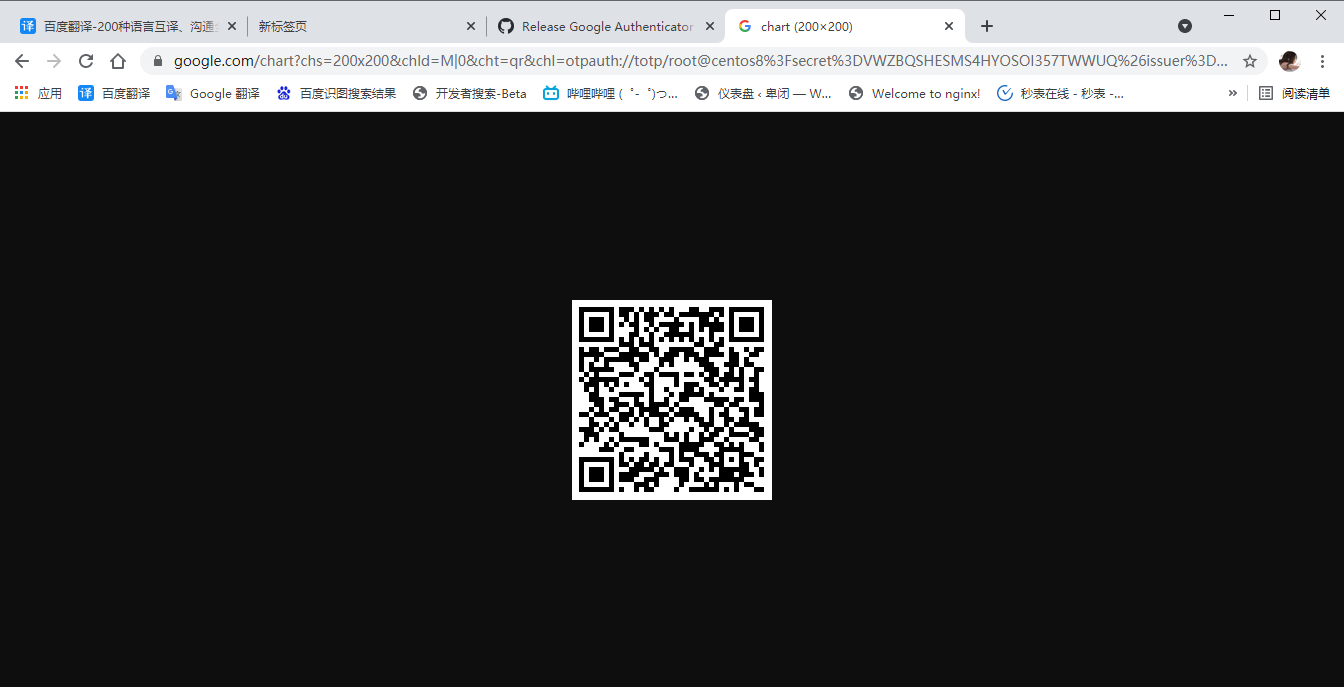
3.5 打开并用身份验证器APP,扫网页上的二维码,进行绑定手机
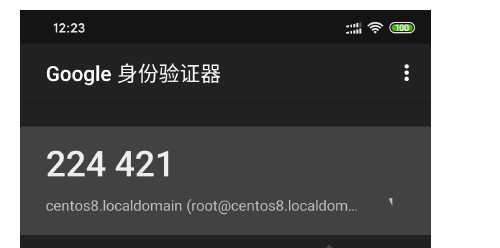
3.6 继续上面的安装配置向导,输入手机APP上的数字,后续都回答y即可
Failed to use libqrencode to show QR code visually for scanning.
Consider typing the OTP secret into your app manually.
Your new secret key is: VWZBQSHESMS4HYOSOI357TWWUQ
Enter code from app (-1 to skip): 224421   # 手机APP上的数字
Code confirmed
Your emergency scratch codes are:
  85508025
  84196673
  85284832
  81993642
  20817631

Do you want me to update your "/root/.google_authenticator" file? (y/n) y

Do you want to disallow multiple uses of the same authentication
token? This restricts you to one login about every 30s, but it increases
your chances to notice or even prevent man-in-the-middle attacks (y/n) y

By default, a new token is generated every 30 seconds by the mobile app.
In order to compensate for possible time-skew between the client and the server,
we allow an extra token before and after the current time. This allows for a
time skew of up to 30 seconds between authentication server and client. If you
experience problems with poor time synchronization, you can increase the window
from its default size of 3 permitted codes (one previous code, the current
code, the next code) to 17 permitted codes (the 8 previous codes, the current
code, and the 8 next codes). This will permit for a time skew of up to 4 minutes
between client and server.
Do you want to do so? (y/n) y

If the computer that you are logging into isn't hardened against brute-force
login attempts, you can enable rate-limiting for the authentication module.
By default, this limits attackers to no more than 3 login attempts every 30s.
Do you want to enable rate-limiting? (y/n) y
[root@centos8 ~]#
3.7 修改/etc/pam.d/sshd文件,将google的PAM模块加入进去
[root@centos8 ~]# vim /etc/pam.d/sshd
auth       required     pam_google_authenticator.so
3.8 修改sshd的配置文件,将ChallengeResponseAuthentication改为yes,并重启服务
[root@centos8 ~]# vim /etc/ssh/sshd_config
ChallengeResponseAuthentication yes
[root@centos8 ~]# systemctl restart sshd
3.9 ssh连接当前主机,可以看到提示,输入手机APP上显示的数字吗和root密码,可以登录,否则失败
[root@centos7 ~]# ssh 10.0.0.8
Verification code:
Password:
Last failed login: Wed Apr 28 17:24:14 CST 2021 from 10.0.0.7 on ssh:notty
There were 2 failed login attempts since the last successful login.
Last login: Wed Apr 28 17:21:14 2021 from 10.0.0.7
[root@centos8 ~]# exit
logout
Connection to 10.0.0.8 closed.
3.10 临时口令存放在/root/.google_authenticator中,用一次删除一个,可手动加入使用,必须为八位长度
[root@centos8 ~]# cat .google_authenticator
VWZBQSHESMS4HYOSOI357TWWUQ
" RATE_LIMIT 3 30 1619601943
" WINDOW_SIZE 17
" DISALLOW_REUSE 53986730
" TOTP_AUTH
85508025
84196673
85284832
81993642
20817631
安装配置脚本
[root@centos8 ~]# cat google_authenticator.sh
#!/bin/bash
# 安装epel
yum install epel-release -y &> /dev/null
# 安装google-authenticator
yum install google-authenticator -y &> /dev/null

echo -e "\e[31mDo you want me to update your "/root/.google_authenticator" file? (y/n) y"
echo -e "你希望我更新你的"/root/.google_authenticator"文件吗?(y/n)"
echo -e "Do you want to disallow multiple uses of the same authentication token? This restricts you to one login about every 30s, but it increases your chances to notice or even prevent man-in-the-middle attacks (y/n) y"
echo -e "你希望禁止多次使用同一个验证令牌吗?这限制你每次登录的时间大约是30秒,但是这加大了发现或甚至防止中间人攻击的可能性(y/n)?"
echo -e "By default, a new token is generated every 30 seconds by the mobile app.In order to compensate for possible time-skew between the client and the server,we allow an extra token before and after the current time. This allows for a time skew of up to 30 seconds between authentication server and client. If you experience problems with poor time synchronization, you can increase the window from its default size of 3 permitted codes (one previous code, the current code, the next code) to 17 permitted codes (the 8 previous codes, the current code, and the 8 next codes). This will permit for a time skew of up to 4 minutes between client and server. Do you want to do so? (y/n) y"
echo -e "默认情况下,令牌保持30秒有效;为了补偿客户机与服务器之间可能存在的时滞,我们允许在当前时间前后有一个额外令牌。如果你在时间同步方面遇到了问题,可以增加窗口从默认的3个可通过验证码增加到17个可通过验证码,这将允许客户机与服务器之间的时差增加到4分钟。你希望这么做吗(y/n)?"
echo -e "If the computer that you are logging into isn't hardened against brute-force login attempts, you can enable rate-limiting for the authentication module.
By default, this limits attackers to no more than 3 login attempts every 30s.
Do you want to enable rate-limiting? (y/n) y"
echo -e "如果你登录的那台计算机没有经过固化,以防范运用蛮力的登录企图,可以对验证模块启用尝试次数限制。默认情况下,这限制攻击者每30秒试图登录的次数只有3次。你希望启用尝试次数限制吗(y/n)?\e[0m"

google-authenticator
# /etc/pam.d/sshd文件,修改或添加下行保存
# auth       required     pam_google_authenticator.so
sed -i '1a\auth       required     pam_google_authenticator.so' /etc/pam.d/sshd
# 编辑/etc/ssh/sshd_config找到下行
# ChallengeResponseAuthentication no
# 更改为
# ChallengeResponseAuthentication yes
sed -i 's/.*ChallengeResponseAuthentication.*/ChallengeResponseAuthentication yes/' /etc/ssh/sshd_config
# 重启SSH服务
systemctl restart sshd
4、使用chrony实现内网时间同步(一台node1从外网同步时间,其余机器从node1同步时间)
4.1 服务器端配置
# 修改时区,设置为Asia/Shanghai
[root@centos8 ~]# timedatectl set-timezone Asia/Shanghai

# 安装chrony服务
[root@centos8 ~]# yum install chrony -y

# 修改配置文件
[root@centos8 ~]# vim /etc/chrony.conf
#pool 2.centos.pool.ntp.org iburst  # 将此行注释掉,因为实现内网时间同步
server 10.0.0.8 iburst  # 添加此行,表示与本机同步时间

# Allow NTP client access from local network.
#allow 192.168.0.0/16
allow 10.0.0.0/24       # 添加此行,允许10.0.0.0/24网段来同步时间

# Serve time even if not synchronized to a time source.
local stratum 10    # 将改行注释去掉,即使未与时间源同步,也要提供时间

# 启动服务设为开机启动
[root@centos8 ~]# systemctl enable --now chronyd
4.2 客户端配置
# 安装chrony服务
[root@centos7 ~]# yum install chrony -y

# 修改配置文件
[root@centos7 ~]# vim /etc/chrony.conf
#server 0.centos.pool.ntp.org iburst    # 注释这4行
#server 1.centos.pool.ntp.org iburst
#server 2.centos.pool.ntp.org iburst
#server 3.centos.pool.ntp.org iburst
server 10.0.0.8 iburst  # 添加此行,表示去10.0.0.8去同步时间

# 启动chrony服务,并设置开机自启
[root@centos7 ~]# systemctl enable --now chronyd
4.3 测试时间同步
[root@centos7 ~]# date
Sat Jul 31 00:37:09 CST 2021
[root@centos7 ~]# date -s '-1 years'  # 将时间设置为1年前
Fri Jul 31 00:37:17 CST 2020
[root@centos7 ~]# date
Fri Jul 31 00:37:20 CST 2020
[root@centos7 ~]# systemctl restart chronyd
[root@centos7 ~]# date
Fri Jul 31 00:37:28 CST 2020
[root@centos7 ~]# chronyc -n sources -v
210 Number of sources = 1

  .-- Source mode  '^' = server, '=' = peer, '#' = local clock.
 / .- Source state '*' = current synced, '+' = combined , '-' = not combined,
| /   '?' = unreachable, 'x' = time may be in error, '~' = time too variable.
||                                                 .- xxxx [ yyyy ] +/- zzzz
||      Reachability register (octal) -.           |  xxxx = adjusted offset,
||      Log2(Polling interval) --.      |          |  yyyy = measured offset,
||                                \     |          |  zzzz = estimated error.
||                                 |    |           \
MS Name/IP address         Stratum Poll Reach LastRx Last sample
===============================================================================
^* 10.0.0.8                     11   6    17     1  -2302ns[ +361ns] +/- 1601us
[root@centos7 ~]# date
Sat Jul 31 00:37:35 CST 2021
5、利用cobbler实现系统自动化安装
5.1 环境准备
两台主机
一台主机:CentOS7充当Cobbler,http,dhcp,tftp服务器,并关闭防火墙和SELinux
一台主机:充当测试机,用于实现自动化安装Linux系统
网络要求:关闭Vmware软件中的NAT模式中的DHCP服务,两个主机网卡基于NAT模式
5.2 安装相关包并启动服务
[root@centos7 ~]# yum install epel-release -y
[root@centos7 ~]# yum install cobbler dhcp -y
[root@centos7 ~]# systemctl enable --now cobblerd httpd tftp dhcpd
[root@centos7 ~]# systemctl enable --now cobblerd httpd tftp dhcpd
Created symlink from /etc/systemd/system/multi-user.target.wants/cobblerd.service to /usr/lib/systemd/system/cobblerd.service.
Created symlink from /etc/systemd/system/multi-user.target.wants/httpd.service to /usr/lib/systemd/system/httpd.service.
Created symlink from /etc/systemd/system/sockets.target.wants/tftp.socket to /usr/lib/systemd/system/tftp.socket.
Created symlink from /etc/systemd/system/multi-user.target.wants/dhcpd.service to /usr/lib/systemd/system/dhcpd.service.
Job for dhcpd.service failed because the control process exited with error code. See "systemctl status dhcpd.service" and "journalctl -xe" for details.
5.3 修改cobbler相关的配置
[root@centos7 ~]# cobbler check
The following are potential configuration items that you may want to fix:

1 : The 'server' field in /etc/cobbler/settings must be set to something other than localhost, or kickstarting features will not work.  This should be a resolvable hostname or IP for the boot server as reachable by all machines that will use it.
2 : For PXE to be functional, the 'next_server' field in /etc/cobbler/settings must be set to something other than 127.0.0.1, and should match the IP of the boot server on the PXE network.
3 : change 'disable' to 'no' in /etc/xinetd.d/tftp
4 : Some network boot-loaders are missing from /var/lib/cobbler/loaders, you may run 'cobbler get-loaders' to download them, or, if you only want to handle x86/x86_64 netbooting, you may ensure that you have installed a *recent* version of the syslinux package installed and can ignore this message entirely.  Files in this directory, should you want to support all architectures, should include pxelinux.0, menu.c32, elilo.efi, and yaboot. The 'cobbler get-loaders' command is the easiest way to resolve these requirements.
5 : enable and start rsyncd.service with systemctl
6 : debmirror package is not installed, it will be required to manage debian deployments and repositories
7 : ksvalidator was not found, install pykickstart
8 : The default password used by the sample templates for newly installed machines (default_password_crypted in /etc/cobbler/settings) is still set to 'cobbler' and should be changed, try: "openssl passwd -1 -salt 'random-phrase-here' 'your-password-here'" to generate new one
9 : fencing tools were not found, and are required to use the (optional) power management features. install cman or fence-agents to use them

Restart cobblerd and then run 'cobbler sync' to apply changes.

# 生成新密码,默认安装好的系统root密码为cobbler
[root@centos7 ~]# openssl passwd -1 '777'
$1$pY4cvDrN$5QvD0S3tq0kNMPtVltwHE1

# 根据以上提示,只需他做1,2,8这三项即可,修改下面四行
[root@centos7 ~]# vim /etc/cobbler/settings
default_password_crypted: "$1$pY4cvDrN$5QvD0S3tq0kNMPtVltwHE1"
manage_dhcp: 1   # 设置为1,表示通过cobbler生成dhcpd.conf配置文件
next_server: 10.0.0.7   # tftp服务器的IP地址
server: 10.0.0.7   # cobbler服务器的IP地址

[root@centos7 ~]# systemctl restart cobblerd

[root@centos7 ~]# cobbler check
The following are potential configuration items that you may want to fix:

1 : change 'disable' to 'no' in /etc/xinetd.d/tftp
2 : Some network boot-loaders are missing from /var/lib/cobbler/loaders, you may run 'cobbler get-loaders' to download them, or, if you only want to handle x86/x86_64 netbooting, you may ensure that you have installed a *recent* version of the syslinux package installed and can ignore this message entirely.  Files in this directory, should you want to support all architectures, should include pxelinux.0, menu.c32, elilo.efi, and yaboot. The 'cobbler get-loaders' command is the easiest way to resolve these requirements.
3 : enable and start rsyncd.service with systemctl
4 : debmirror package is not installed, it will be required to manage debian deployments and repositories
5 : ksvalidator was not found, install pykickstart
6 : fencing tools were not found, and are required to use the (optional) power management features. install cman or fence-agents to use them

Restart cobblerd and then run 'cobbler sync' to apply changes.
5.4 实现dhcp服务
[root@centos7 ~]# vim /etc/cobbler/dhcp.template
subnet 10.0.0.0 netmask 255.255.255.0 {
     option routers             10.0.0.2;
     option domain-name-servers 114.114.114.114,223.5.5.5;
     option subnet-mask         255.255.255.0;
     range dynamic-bootp        10.0.0.100 10.0.0.200;
[root@centos7 ~]# cobbler sync
task started: 2021-05-03_110949_sync
task started (id=Sync, time=Mon May  3 11:09:49 2021)
running pre-sync triggers
cleaning trees
removing: /var/lib/tftpboot/grub/images
copying bootloaders
trying hardlink /usr/share/syslinux/pxelinux.0 -> /var/lib/tftpboot/pxelinux.0
trying hardlink /usr/share/syslinux/menu.c32 -> /var/lib/tftpboot/menu.c32
trying hardlink /usr/share/syslinux/memdisk -> /var/lib/tftpboot/memdisk
copying distros to tftpboot
copying images
generating PXE configuration files
generating PXE menu structure
rendering DHCP files
generating /etc/dhcp/dhcpd.conf
rendering TFTPD files
generating /etc/xinetd.d/tftp
cleaning link caches
running post-sync triggers
running python triggers from /var/lib/cobbler/triggers/sync/post/*
running python trigger cobbler.modules.sync_post_restart_services
running: dhcpd -t -q
received on stdout:
received on stderr:
running: service dhcpd restart
received on stdout:
received on stderr: Redirecting to /bin/systemctl restart dhcpd.service

running shell triggers from /var/lib/cobbler/triggers/sync/post/*
running python triggers from /var/lib/cobbler/triggers/change/*
running python trigger cobbler.modules.manage_genders
running python trigger cobbler.modules.scm_track
running shell triggers from /var/lib/cobbler/triggers/change/*
*** TASK COMPLETE ***
[root@centos7 ~]# systemctl restart cobblerd
5.5 下载启动的相关文件
[root@centos7 ~]# cobbler get-loaders
task started: 2021-05-03_111200_get_loaders
task started (id=Download Bootloader Content, time=Mon May  3 11:12:00 2021)
downloading https://cobbler.github.io/loaders/README to /var/lib/cobbler/loaders/README
downloading https://cobbler.github.io/loaders/COPYING.elilo to /var/lib/cobbler/loaders/COPYING.elilo
downloading https://cobbler.github.io/loaders/COPYING.yaboot to /var/lib/cobbler/loaders/COPYING.yaboot
downloading https://cobbler.github.io/loaders/COPYING.syslinux to /var/lib/cobbler/loaders/COPYING.syslinux
downloading https://cobbler.github.io/loaders/elilo-3.8-ia64.efi to /var/lib/cobbler/loaders/elilo-ia64.efi
downloading https://cobbler.github.io/loaders/yaboot-1.3.17 to /var/lib/cobbler/loaders/yaboot
downloading https://cobbler.github.io/loaders/pxelinux.0-3.86 to /var/lib/cobbler/loaders/pxelinux.0
downloading https://cobbler.github.io/loaders/menu.c32-3.86 to /var/lib/cobbler/loaders/menu.c32
downloading https://cobbler.github.io/loaders/grub-0.97-x86.efi to /var/lib/cobbler/loaders/grub-x86.efi
downloading https://cobbler.github.io/loaders/grub-0.97-x86_64.efi to /var/lib/cobbler/loaders/grub-x86_64.efi
*** TASK COMPLETE ***
[root@centos7 ~]# ls /var/lib/cobbler/loaders/
COPYING.elilo     COPYING.yaboot  grub-x86_64.efi  menu.c32    README
COPYING.syslinux  elilo-ia64.efi  grub-x86.efi     pxelinux.0  yaboot
[root@centos7 ~]# tree /var/lib/tftpboot/
/var/lib/tftpboot/
├── boot
│   └── grub
│       └── menu.lst
├── etc
├── grub
│   ├── efidefault
│   └── images -> ../images
├── images
├── images2
├── memdisk
├── menu.c32
├── ppc
├── pxelinux.0
├── pxelinux.cfg
│   └── default
└── s390x
    └── profile_list

10 directories, 7 files
[root@centos7 ~]# cobbler sync
task started: 2021-05-03_111334_sync
task started (id=Sync, time=Mon May  3 11:13:34 2021)
running pre-sync triggers
cleaning trees
removing: /var/lib/tftpboot/pxelinux.cfg/default
removing: /var/lib/tftpboot/grub/images
removing: /var/lib/tftpboot/grub/efidefault
removing: /var/lib/tftpboot/s390x/profile_list
copying bootloaders
trying hardlink /var/lib/cobbler/loaders/pxelinux.0 -> /var/lib/tftpboot/pxelinux.0
copying: /var/lib/cobbler/loaders/pxelinux.0 -> /var/lib/tftpboot/pxelinux.0
trying hardlink /var/lib/cobbler/loaders/menu.c32 -> /var/lib/tftpboot/menu.c32
copying: /var/lib/cobbler/loaders/menu.c32 -> /var/lib/tftpboot/menu.c32
trying hardlink /var/lib/cobbler/loaders/yaboot -> /var/lib/tftpboot/yaboot
trying hardlink /var/lib/cobbler/loaders/grub-x86.efi -> /var/lib/tftpboot/grub/grub-x86.efi
trying hardlink /var/lib/cobbler/loaders/grub-x86_64.efi -> /var/lib/tftpboot/grub/grub-x86_64.efi
copying distros to tftpboot
copying images
generating PXE configuration files
generating PXE menu structure
rendering DHCP files
generating /etc/dhcp/dhcpd.conf
rendering TFTPD files
generating /etc/xinetd.d/tftp
cleaning link caches
running post-sync triggers
running python triggers from /var/lib/cobbler/triggers/sync/post/*
running python trigger cobbler.modules.sync_post_restart_services
running: dhcpd -t -q
received on stdout:
received on stderr:
running: service dhcpd restart
received on stdout:
received on stderr: Redirecting to /bin/systemctl restart dhcpd.service

running shell triggers from /var/lib/cobbler/triggers/sync/post/*
running python triggers from /var/lib/cobbler/triggers/change/*
running python trigger cobbler.modules.manage_genders
running python trigger cobbler.modules.scm_track
running shell triggers from /var/lib/cobbler/triggers/change/*
*** TASK COMPLETE ***
[root@centos7 ~]# tree /var/lib/tftpboot/
/var/lib/tftpboot/
├── boot
│   └── grub
│       └── menu.lst
├── etc
├── grub
│   ├── efidefault
│   ├── grub-x86_64.efi
│   ├── grub-x86.efi
│   └── images -> ../images
├── images
├── images2
├── memdisk
├── menu.c32
├── ppc
├── pxelinux.0
├── pxelinux.cfg
│   └── default
├── s390x
│   └── profile_list
└── yaboot

10 directories, 10 files
5.6 修改菜单的标题信息(可选)
[root@centos7 ~]# vim /etc/cobbler/pxe/pxedefault.template
MENU TITLE Luna | https://blog.waluna.top/

[root@centos7 ~]# cobbler sync
task started: 2021-05-03_111518_sync
task started (id=Sync, time=Mon May  3 11:15:18 2021)
running pre-sync triggers
cleaning trees
removing: /var/lib/tftpboot/pxelinux.cfg/default
removing: /var/lib/tftpboot/grub/images
removing: /var/lib/tftpboot/grub/grub-x86.efi
removing: /var/lib/tftpboot/grub/grub-x86_64.efi
removing: /var/lib/tftpboot/grub/efidefault
removing: /var/lib/tftpboot/s390x/profile_list
copying bootloaders
trying hardlink /var/lib/cobbler/loaders/pxelinux.0 -> /var/lib/tftpboot/pxelinux.0
copying: /var/lib/cobbler/loaders/pxelinux.0 -> /var/lib/tftpboot/pxelinux.0
trying hardlink /var/lib/cobbler/loaders/menu.c32 -> /var/lib/tftpboot/menu.c32
copying: /var/lib/cobbler/loaders/menu.c32 -> /var/lib/tftpboot/menu.c32
trying hardlink /var/lib/cobbler/loaders/grub-x86.efi -> /var/lib/tftpboot/grub/grub-x86.efi
trying hardlink /var/lib/cobbler/loaders/grub-x86_64.efi -> /var/lib/tftpboot/grub/grub-x86_64.efi
copying distros to tftpboot
copying images
generating PXE configuration files
generating PXE menu structure
rendering DHCP files
generating /etc/dhcp/dhcpd.conf
rendering TFTPD files
generating /etc/xinetd.d/tftp
cleaning link caches
running post-sync triggers
running python triggers from /var/lib/cobbler/triggers/sync/post/*
running python trigger cobbler.modules.sync_post_restart_services
running: dhcpd -t -q
received on stdout:
received on stderr:
running: service dhcpd restart
received on stdout:
received on stderr: Redirecting to /bin/systemctl restart dhcpd.service

running shell triggers from /var/lib/cobbler/triggers/sync/post/*
running python triggers from /var/lib/cobbler/triggers/change/*
running python trigger cobbler.modules.manage_genders
running python trigger cobbler.modules.scm_track
running shell triggers from /var/lib/cobbler/triggers/change/*
*** TASK COMPLETE ***
[root@centos7 ~]# cat /var/lib/tftpboot/pxelinux.cfg/default
DEFAULT menu
PROMPT 0
MENU TITLE Luna | https://blog.waluna.top/
TIMEOUT 200
TOTALTIMEOUT 6000
ONTIMEOUT local

LABEL local
        MENU LABEL (local)
        MENU DEFAULT
        LOCALBOOT -1

MENU end
5.7 导入centos系统的安装文件,生成相应的yum原
[root@centos7 ~]# mkdir /mnt/centos{6..8}
[root@centos7 ~]# mount /dev/sr0 /mnt/centos7
mount: /dev/sr0 is write-protected, mounting read-only
[root@centos7 ~]# mount /dev/sr1 /mnt/centos8
mount: /dev/sr1 is write-protected, mounting read-only
[root@centos7 ~]# mount /dev/sr2 /mnt/centos6
mount: /dev/sr2 is write-protected, mounting read-only

[root@centos7 ~]# cobbler import --name=centos-8.1-x86_64 --path=/mnt/centos8 --arch=x86_64
task started: 2021-05-03_113319_import
task started (id=Media import, time=Mon May  3 11:33:19 2021)
Found a candidate signature: breed=redhat, version=rhel8
Found a matching signature: breed=redhat, version=rhel8
Adding distros from path /var/www/cobbler/ks_mirror/centos-8.1-x86_64:
creating new distro: centos-8.1-x86_64
trying symlink: /var/www/cobbler/ks_mirror/centos-8.1-x86_64 -> /var/www/cobbler/links/centos-8.1-x86_64
creating new profile: centos-8.1-x86_64
associating repos
checking for rsync repo(s)
checking for rhn repo(s)
checking for yum repo(s)
starting descent into /var/www/cobbler/ks_mirror/centos-8.1-x86_64 for centos-8.1-x86_64
processing repo at : /var/www/cobbler/ks_mirror/centos-8.1-x86_64/AppStream
need to process repo/comps: /var/www/cobbler/ks_mirror/centos-8.1-x86_64/AppStream
looking for /var/www/cobbler/ks_mirror/centos-8.1-x86_64/AppStream/repodata/*comps*.xml
Keeping repodata as-is :/var/www/cobbler/ks_mirror/centos-8.1-x86_64/AppStream/repodata
processing repo at : /var/www/cobbler/ks_mirror/centos-8.1-x86_64/BaseOS
need to process repo/comps: /var/www/cobbler/ks_mirror/centos-8.1-x86_64/BaseOS
looking for /var/www/cobbler/ks_mirror/centos-8.1-x86_64/BaseOS/repodata/*comps*.xml
Keeping repodata as-is :/var/www/cobbler/ks_mirror/centos-8.1-x86_64/BaseOS/repodata
*** TASK COMPLETE ***
[root@centos7 ~]# cobbler import --name=centos-7.7-x86_64 --path=/mnt/centos7 --arch=x86_64
[root@centos7 ~]# cobbler import --name=centos-6.10-x86_64 --path=/mnt/centos6 --arch=x86_64
task started: 2021-05-03_113527_import
task started (id=Media import, time=Mon May  3 11:35:27 2021)
Found a candidate signature: breed=redhat, version=rhel6
Found a matching signature: breed=redhat, version=rhel6
Adding distros from path /var/www/cobbler/ks_mirror/centos-6.10-x86_64:
creating new distro: centos-6.10-x86_64
trying symlink: /var/www/cobbler/ks_mirror/centos-6.10-x86_64 -> /var/www/cobbler/links/centos-6.10-x86_64
creating new profile: centos-6.10-x86_64
associating repos
checking for rsync repo(s)
checking for rhn repo(s)
checking for yum repo(s)
starting descent into /var/www/cobbler/ks_mirror/centos-6.10-x86_64 for centos-6.10-x86_64
processing repo at : /var/www/cobbler/ks_mirror/centos-6.10-x86_64
need to process repo/comps: /var/www/cobbler/ks_mirror/centos-6.10-x86_64
looking for /var/www/cobbler/ks_mirror/centos-6.10-x86_64/repodata/*comps*.xml
Keeping repodata as-is :/var/www/cobbler/ks_mirror/centos-6.10-x86_64/repodata
*** TASK COMPLETE ***
[root@centos7 ~]# du -sh /var/www/cobbler/ks_mirror/*
3.8G    /var/www/cobbler/ks_mirror/centos-6.10-x86_64
7.2G    /var/www/cobbler/ks_mirror/centos-8.1-x86_64
12K     /var/www/cobbler/ks_mirror/config
[root@centos7 ~]# cobbler distro list
   centos-6.10-x86_64
   centos-8.1-x86_64
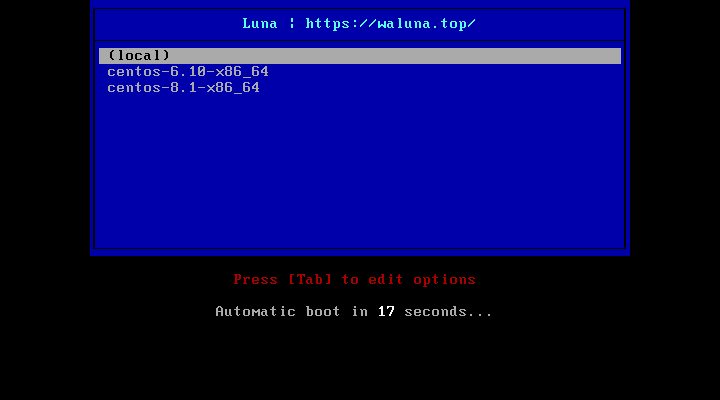
[root@centos7 ~]# cobbler profile list
   centos-6.10-x86_64
   centos-8.1-x86_64
# 默认生成的是最小化安装
5.8 准备kickstart文件,并关联至指定的yum源
[root@centos7 ~]# vim /var/lib/cobbler/kickstarts/centos8.cfg
[root@centos7 ~]# cat /var/lib/cobbler/kickstarts/centos8.cfg
ignoredisk --only-use=sda
zerombr
text
reboot
clearpart --all --initlabel
selinux --disabled
firewall --disabled
url --url=$tree   # 注意此行必须指定
keyboard --vckeymap=us --xlayouts='us'
lang en_US.UTF-8

bootloader --append="net.ifnames=0" --location=mbr --boot-drive=sda
network  --bootproto=dhcp --device=eth0 --ipv6=auto --activate
network  --hostname=centos8.waluna.top

rootpw --iscrypted $6$H5kANbH7m4qxYOz6$EWFnwcHDYENjYeVx0wdd.nJsRCbhslLD0MjpgLIMOEctDL5pU2xevfJdOe.fmCsvKF9yw3zCkQ9xsL5bHjFOc0
firstboot --enable
skipx
services --disabled="chronyd"
timezone Asia/Shanghai --isUtc --nontp
user --name=test --password=$6$tYLGNQ0cWJ.mMHh7$GiqnoND4nS83gTX7zjlJFaqwc5AAUEJnaLgo5Zo0NY1kOjamtnRJIaO.w6/1Yficy7cZOKPmjM5OkO2h0mgQy0 --iscrypted --gecos="test"

part / --fstype="xfs" --ondisk=sda --size=10240
part /data --fstype="xfs" --ondisk=sda --size=51200
part swap --fstype="swap" --ondisk=sda --size=2048
part /boot --fstype="ext4" --ondisk=sda --size=1024

%packages
@^minimal-environment
%end

%addon com_redhat_kdump --disable --reserve-mb='auto'
%end

%anaconda
pwpolicy root --minlen=6 --minquality=1 --notstrict --nochanges --notempty
pwpolicy user --minlen=6 --minquality=1 --notstrict --nochanges --emptyok
pwpolicy luks --minlen=6 --minquality=1 --notstrict --nochanges --notempty
%end

%post
useradd luna
echo 777 | passwd --stdin luna &> /dev/null
%end

# 将kickstart文件,关联指定的yum源和生成菜单列表
[root@centos7 ~]# cobbler profile add --name=centos-8.1-test --distro=centos-8.1-x86_64 --kickstart=/var/lib/cobbler/kickstarts/centos8.cfg
[root@centos7 ~]# cobbler profile add --name=centos-6.10-test --distro=centos-6.10-x86_64 --kickstart=/var/lib/cobbler/kickstarts/centos6.cfg

# 删除默认生成的文件菜单
[root@centos7 ~]# cobbler profile remove --name=centos-8.1-x86_64
[root@centos7 ~]# cobbler profile remove --name=centos-6.10-x86_64

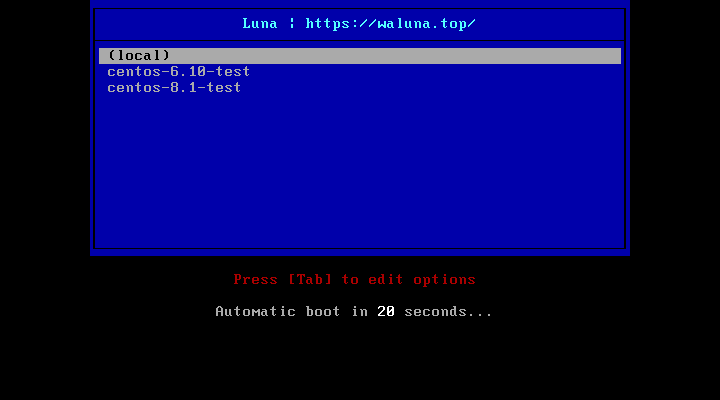
[root@centos7 ~]# cobbler profile list
   centos-6.10-test
   centos-8.1-test
5.9 测试客户端基于cobbler实现自动安装
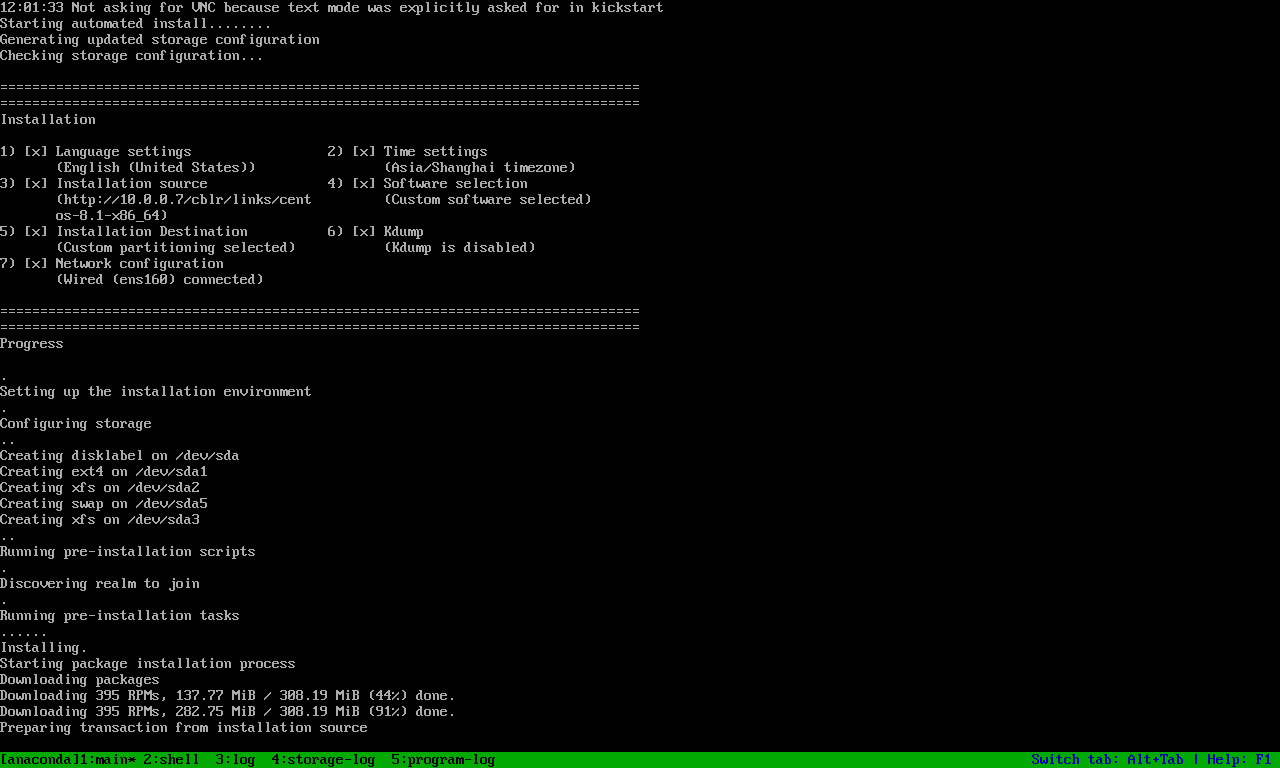
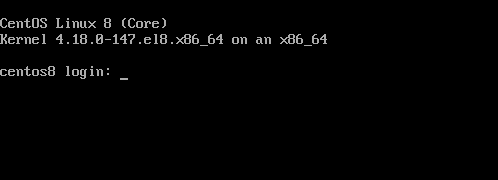
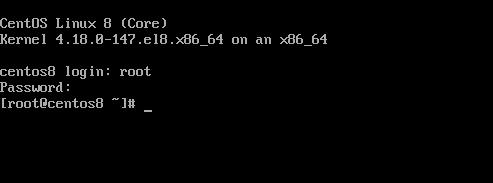
5.10 支持UEFI安装
注意:centos6的虚拟机不支持UEFI
修改文件设置时间,默认不显示菜单
# 修改模板文件
[root@centos7 ~]# vim /etc/cobbler/pxe/efidefault.template
[root@centos7 ~]# cat /etc/cobbler/pxe/efidefault.template
default=0
timeout=60

$grub_menu_items

# 使模板生效
[root@centos7 ~]# cobbler sync
task started: 2021-05-03_130206_sync
task started (id=Sync, time=Mon May  3 13:02:06 2021)
running pre-sync triggers
cleaning trees
removing: /var/www/cobbler/images/centos-8.1-x86_64
removing: /var/www/cobbler/images/centos-6.10-x86_64
removing: /var/lib/tftpboot/pxelinux.cfg/default
removing: /var/lib/tftpboot/grub/images
removing: /var/lib/tftpboot/grub/grub-x86.efi
removing: /var/lib/tftpboot/grub/grub-x86_64.efi
removing: /var/lib/tftpboot/grub/efidefault
removing: /var/lib/tftpboot/images/centos-8.1-x86_64
removing: /var/lib/tftpboot/images/centos-6.10-x86_64
removing: /var/lib/tftpboot/s390x/profile_list
copying bootloaders
trying hardlink /var/lib/cobbler/loaders/pxelinux.0 -> /var/lib/tftpboot/pxelinux.0
copying: /var/lib/cobbler/loaders/pxelinux.0 -> /var/lib/tftpboot/pxelinux.0
trying hardlink /var/lib/cobbler/loaders/menu.c32 -> /var/lib/tftpboot/menu.c32
copying: /var/lib/cobbler/loaders/menu.c32 -> /var/lib/tftpboot/menu.c32
trying hardlink /var/lib/cobbler/loaders/grub-x86.efi -> /var/lib/tftpboot/grub/grub-x86.efi
trying hardlink /var/lib/cobbler/loaders/grub-x86_64.efi -> /var/lib/tftpboot/grub/grub-x86_64.efi
copying distros to tftpboot
copying files for distro: centos-8.1-x86_64
trying hardlink /var/www/cobbler/ks_mirror/centos-8.1-x86_64/images/pxeboot/vmlinuz -> /var/lib/tftpboot/images/centos-8.1-x86_64/vmlinuz
trying hardlink /var/www/cobbler/ks_mirror/centos-8.1-x86_64/images/pxeboot/initrd.img -> /var/lib/tftpboot/images/centos-8.1-x86_64/initrd.img
copying files for distro: centos-6.10-x86_64
trying hardlink /var/www/cobbler/ks_mirror/centos-6.10-x86_64/images/pxeboot/vmlinuz -> /var/lib/tftpboot/images/centos-6.10-x86_64/vmlinuz
trying hardlink /var/www/cobbler/ks_mirror/centos-6.10-x86_64/images/pxeboot/initrd.img -> /var/lib/tftpboot/images/centos-6.10-x86_64/initrd.img
copying images
generating PXE configuration files
generating PXE menu structure
copying files for distro: centos-8.1-x86_64
trying hardlink /var/www/cobbler/ks_mirror/centos-8.1-x86_64/images/pxeboot/vmlinuz -> /var/www/cobbler/images/centos-8.1-x86_64/vmlinuz
trying hardlink /var/www/cobbler/ks_mirror/centos-8.1-x86_64/images/pxeboot/initrd.img -> /var/www/cobbler/images/centos-8.1-x86_64/initrd.img
Writing template files for centos-8.1-x86_64
copying files for distro: centos-6.10-x86_64
trying hardlink /var/www/cobbler/ks_mirror/centos-6.10-x86_64/images/pxeboot/vmlinuz -> /var/www/cobbler/images/centos-6.10-x86_64/vmlinuz
trying hardlink /var/www/cobbler/ks_mirror/centos-6.10-x86_64/images/pxeboot/initrd.img -> /var/www/cobbler/images/centos-6.10-x86_64/initrd.img
Writing template files for centos-6.10-x86_64
rendering DHCP files
generating /etc/dhcp/dhcpd.conf
rendering TFTPD files
generating /etc/xinetd.d/tftp
processing boot_files for distro: centos-8.1-x86_64
processing boot_files for distro: centos-6.10-x86_64
cleaning link caches
running post-sync triggers
running python triggers from /var/lib/cobbler/triggers/sync/post/*
running python trigger cobbler.modules.sync_post_restart_services
running: dhcpd -t -q
received on stdout:
received on stderr:
running: service dhcpd restart
received on stdout:
received on stderr: Redirecting to /bin/systemctl restart dhcpd.service

running shell triggers from /var/lib/cobbler/triggers/sync/post/*
running python triggers from /var/lib/cobbler/triggers/change/*
running python trigger cobbler.modules.manage_genders
running python trigger cobbler.modules.scm_track
running shell triggers from /var/lib/cobbler/triggers/change/*
*** TASK COMPLETE ***

# 验证生效
[root@centos7 ~]# head -2 /var/lib/tftpboot/grub/efidefault
default=0
timeout=60

# 重启服务
[root@centos7 ~]# systemctl restart cobblerd.service
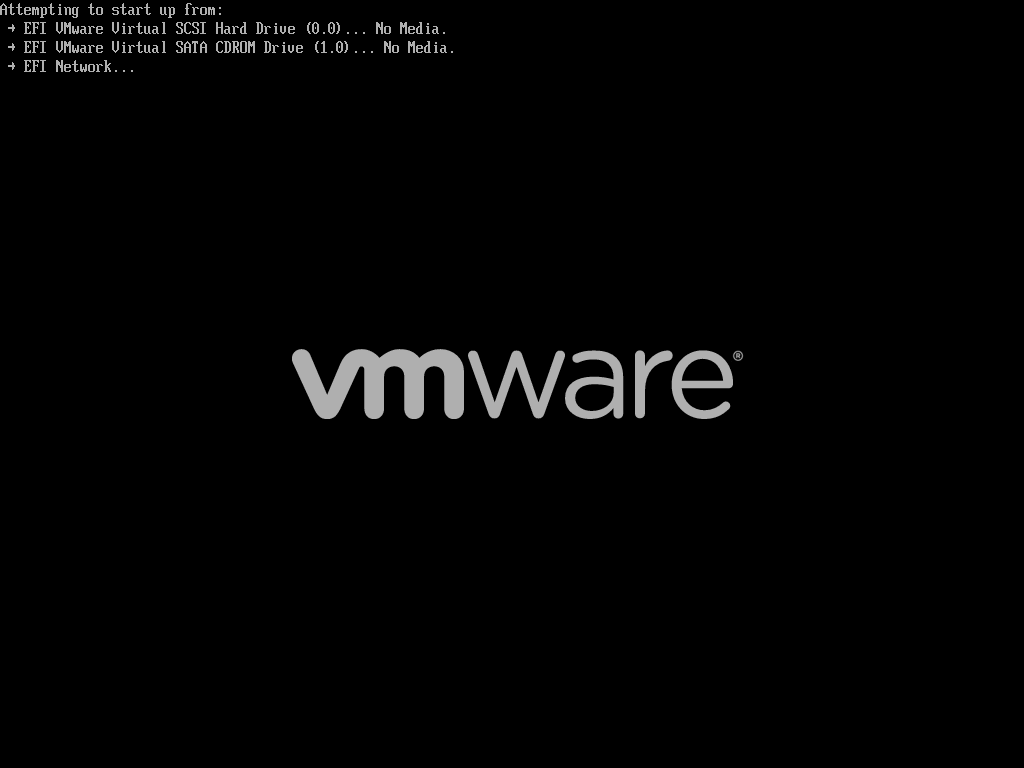
设置客户端的启动使用UEFI
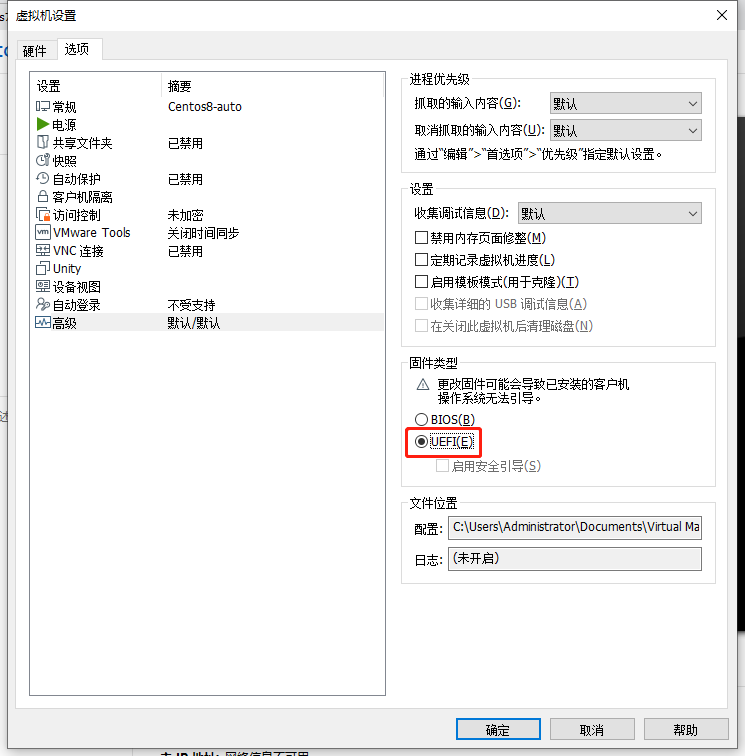
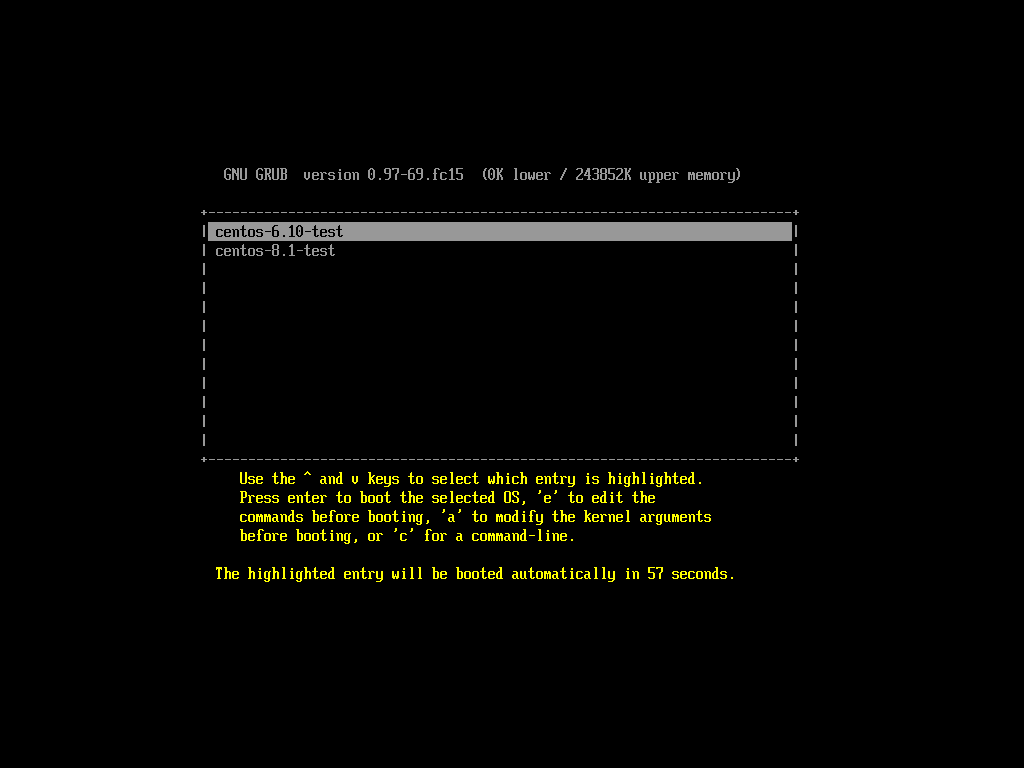
启动客户机可以看到界面
选择对应的菜单进行自动安装

5.11 实现cobbler的web管理
[root@centos7 ~]# yum install cobbler-web -y
[root@centos7 ~]# systemctl restart httpd通过浏览器访问下面地址:https://cobblerserver/cobbler_web
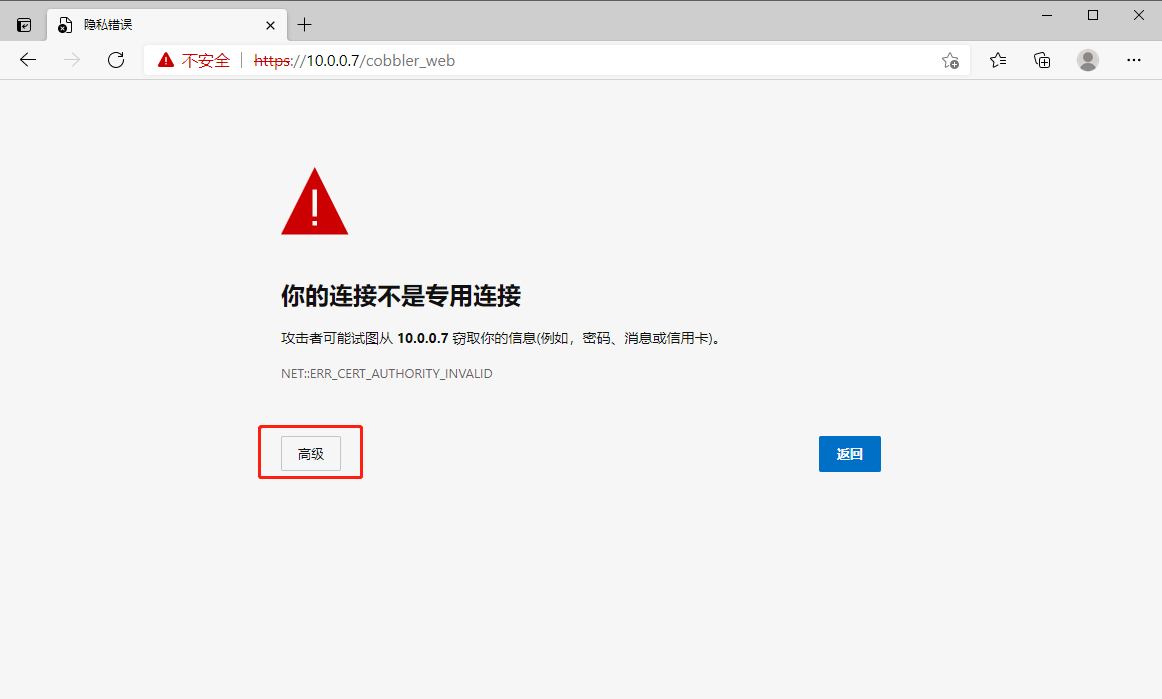
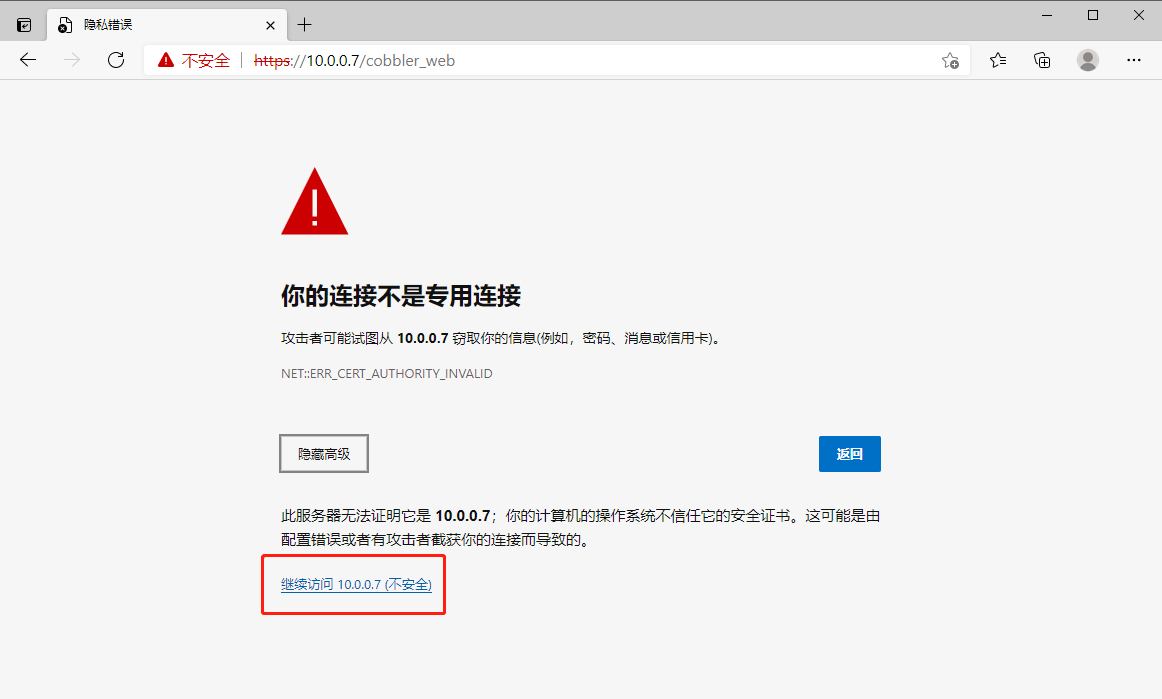
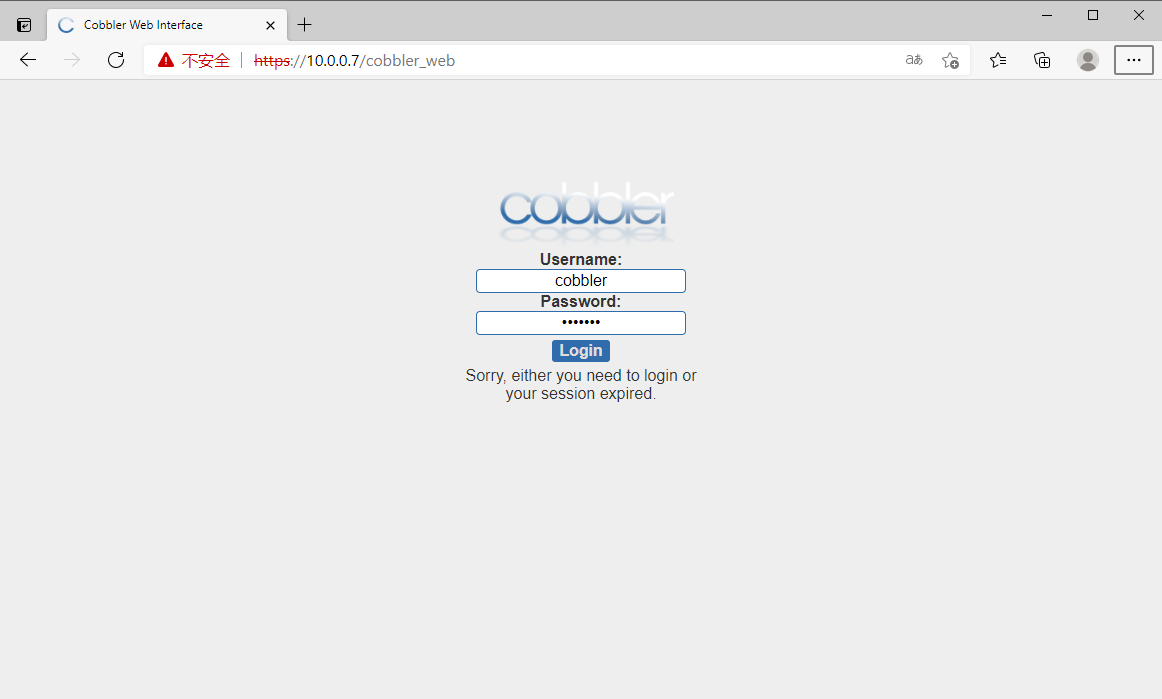
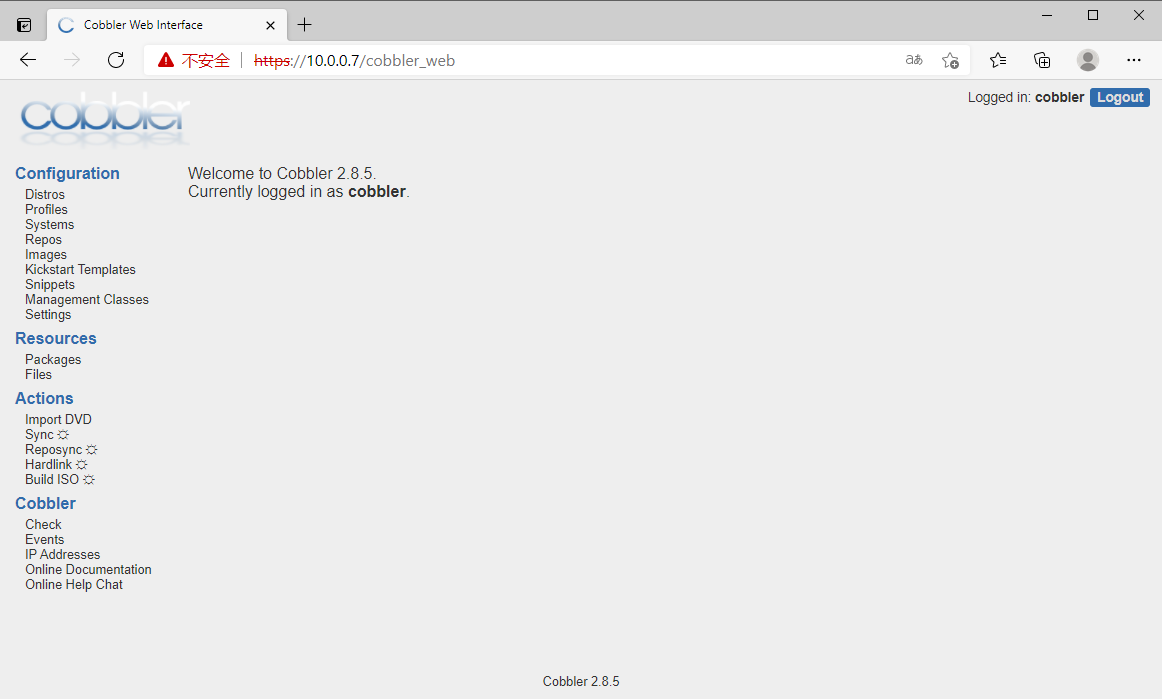
5.12 创建cobbler的自定义的web用户
[root@centos7 ~]# cat /etc/cobbler/users.digest
cobbler:Cobbler:a2d6bae81669d707b72c0bd9806e01f3
[root@centos7 ~]# htdigest -c /etc/cobbler/users.digest Cobbler admin
Adding password for admin in realm Cobbler.
New password:
Re-type new password:
[root@centos7 ~]# cat /etc/cobbler/users.digest
admin:Cobbler:688a9d968bc133e802f5b2bb4491078a
3
[root@centos7 ~]# htdigest /etc/cobbler/users.digest Cobbler admin2
Adding user admin2 in realm Cobbler
New password:
Re-type new password:
[root@centos7 ~]# cat /etc/cobbler/users.digest
admin:Cobbler:688a9d968bc133e802f5b2bb4491078a
3
admin2:Cobbler:467795d373ace35fa874b90300aca3ac
使用上面命令创建的用户登录web界面
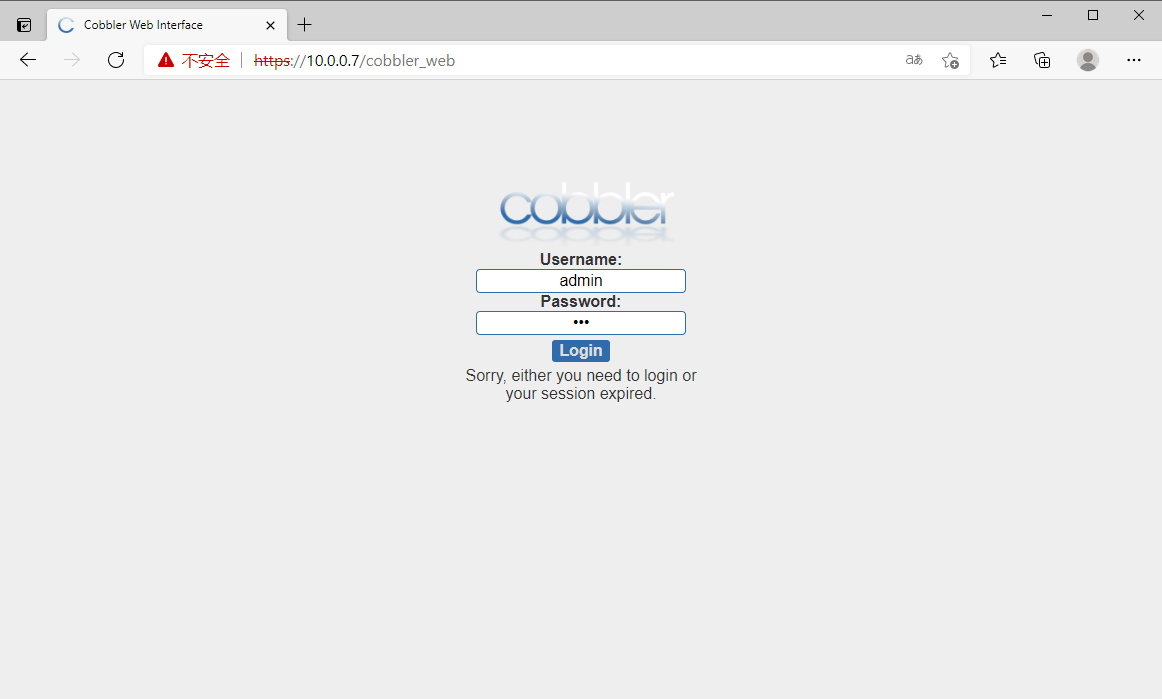
登录成功,可以看到下面界面
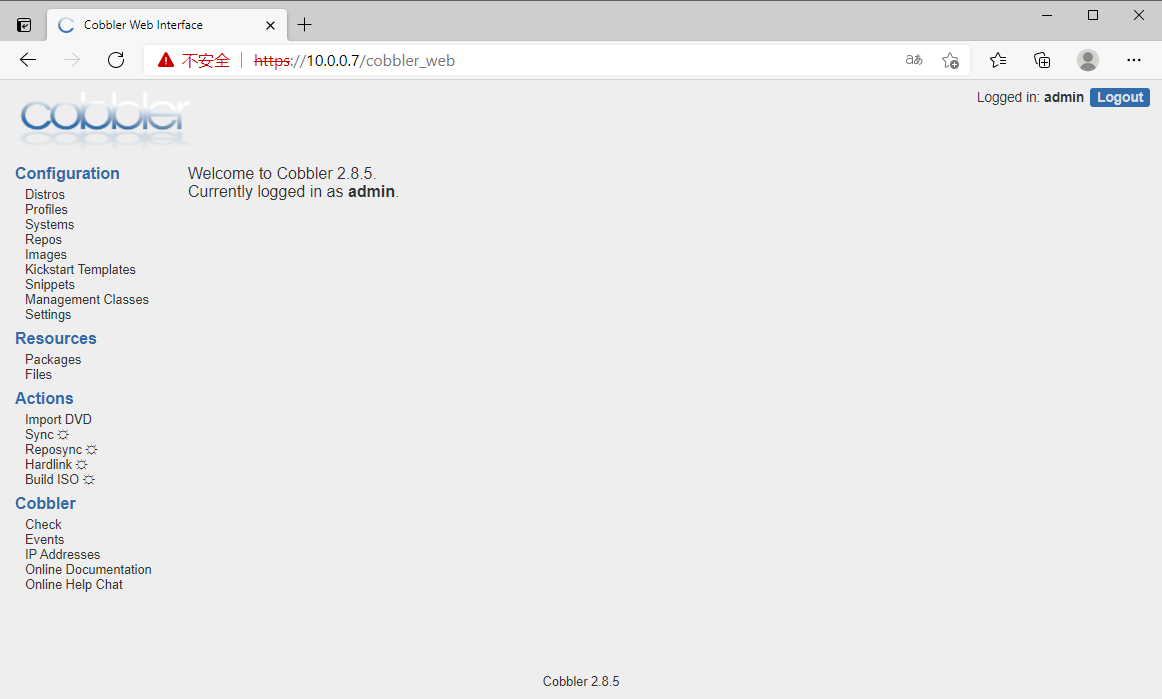
Comments | 1 条评论
步骤很清晰,非常棒!