









1.4.3 安装 kubeadm 等组件
在 master 和 node 节点安装 kubeadm、kubelet、kubectl、docker等软件
1.4.3.1 在所有 master 和 node 节点安装 docker
安装经过验证版 docker 版本,这里使用 20.10.9 版本
Update the latest validated version of Docker to 20.10 (#98977, @neolit123) [SIG CLI, Cluster Lifecycle and Node]
https://github.com/kubernetes/kubernetes/blob/master/CHANGELOG/CHANGELOG-1.21.md#feature-5使用脚本安装
[root@k8s-master1 ~]# vim install_dokcer_ubuntu.sh
[root@k8s-master1 ~]# cat install_dokcer_ubuntu.sh
#!/bin/bash
COLOR="echo -e \e[1;31m"
END="\e[0m"
DOCKER_VERSION="5:20.10.9~3-0~ubuntu-bionic"

${COLOR}"Begin install docker-${DOCKER_VERSION}, Please wait..."${END}
install_docker(){
dpkg -s docker-ce &> /dev/null && ${COLOR}"Docker already install,exit"${END} && exit
apt update &> /dev/null
apt install apt-transport-https ca-certificates curl software-properties-common -y &> /dev/null
curl -fsSL https://mirrors.tuna.tsinghua.edu.cn/docker-ce/linux/ubuntu/gpg | apt-key add - &> /dev/null
add-apt-repository "deb [arch=amd64] https://mirrors.tuna.tsinghua.edu.cn/docker-ce/linux/ubuntu $(lsb_release -cs) stable"
apt update -y &> /dev/null
${COLOR}"Docker has the following versions"${END}
apt-cache madison docker-ce
${COLOR}"In five seconds begin install: doecker-"${DOCKER_VERSION}"..."${END}
${COLOR}"If you want to install another version,please press Ctrl+c exit,modify version"${END}
sleep 5

apt install docker-ce=${DOCKER_VERSION} docker-ce-cli=${DOCKER_VERSION} -y

mkdir -p /etc/docker
tee /etc/docker/daemon.json  &> /dev/null <<-'EOF'
{
  "registry-mirrors": ["https://eph8xfli.mirror.aliyuncs.com"]
}
EOF
systemctl daemon-reload
systemctl enable --now docker &> /dev/null
docker version && ${COLOR}"Docker install completion"${END} || ${COLOR}"Docker install failure"${END}
}

install_docker
[root@k8s-master1 ~]# bash install_dokcer_ubuntu.sh

# 其他节点同样执行
[root@k8s-master1 ~]# scp install_dokcer_ubuntu.sh  10.0.0.19:
[root@k8s-master1 ~]# scp install_dokcer_ubuntu.sh  10.0.0.29:
[root@k8s-master1 ~]# scp install_dokcer_ubuntu.sh  10.0.0.69:
[root@k8s-master1 ~]# scp install_dokcer_ubuntu.sh  10.0.0.79:
[root@k8s-master1 ~]# scp install_dokcer_ubuntu.sh  10.0.0.89:

[root@k8s-master2 ~]# bash install_dokcer_ubuntu.sh
[root@k8s-master3 ~]# bash install_dokcer_ubuntu.sh
[root@node1 ~]# bash install_dokcer_ubuntu.sh
[root@node2 ~]# bash install_dokcer_ubuntu.sh
[root@node3 ~]# bash install_dokcer_ubuntu.sh
1.4.3.2 master 安装 kubeadm、kubelet 和 kubectl
所有节点配置阿里云仓库地址并安装相关组件,node节点可选装kubectl,这里不安装。
1.4.3.2.1 镜像仓库配置
配置阿里云镜像的 kubernetes 源(用于安装 kubelet kubeadm kubectl 命令)
https://developer.aliyun.com/mirror/kubernetes?spm=a2c6h.13651102.0.0.3e221b11XYZwTs阿里云网站
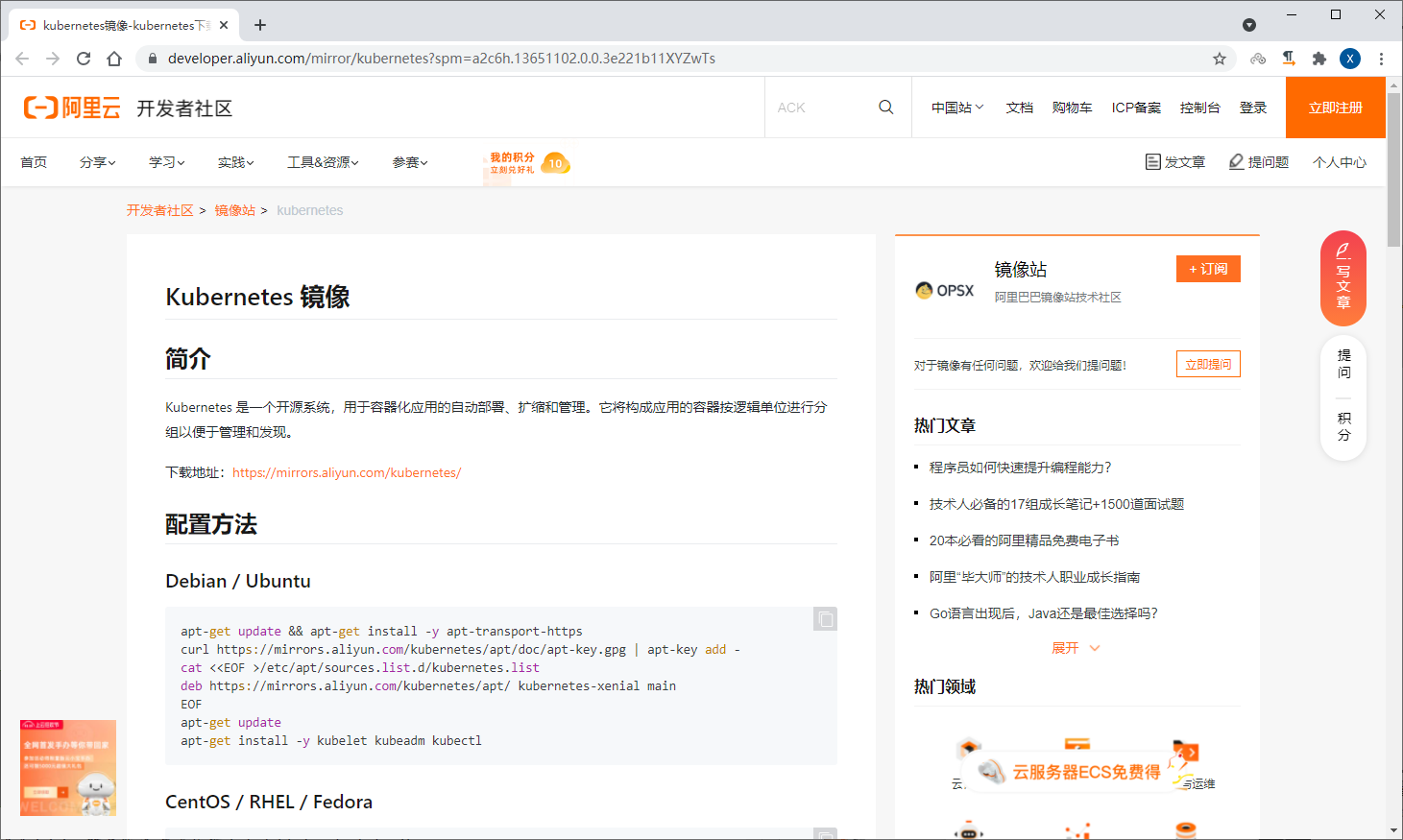
配置仓库
apt-get update && apt-get install -y apt-transport-https
curl https://mirrors.aliyun.com/kubernetes/apt/doc/apt-key.gpg | apt-key add -
cat <<EOF >/etc/apt/sources.list.d/kubernetes.list
deb https://mirrors.aliyun.com/kubernetes/apt/ kubernetes-xenial main
EOF
apt-get update
1.4.3.2.2 安装组件
查看版本信息
[root@k8s-master1 ~]# apt-cache madison kubeadm安装指定版本
# 所有master执行
[root@k8s-master1 ~]# apt install kubeadm=1.21.1-00 kubelet=1.21.1-00 kubectl=1.21.1-00 -y

# 所有node执行
[root@node1 ~]# apt install kubeadm=1.21.1-00 kubelet=1.21.1-00 -y

# 设置kubelet为开机自启动
[root@k8s-master1 ~]# systemctl enable kubelet
注意:kubeadm和kubectl是命令,kubelet是服务。
1.4.3.2.3 验证 master 节点的 kubelet 服务
目前启动 kubelet 会出现下面报错,提示没有找到配置文件,原因是还没有进行初始化。
[root@k8s-master1 ~]# tail /var/log/syslog
Oct 27 21:59:18 k8s-master1 systemd[1]: Configuration file /lib/systemd/system/kubelet.service is marked world-inaccessible. This has no effect as configuration data is accessible via APIs without restrictions. Proceeding anyway.
Oct 27 21:59:18 k8s-master1 systemd[1]: Configuration file /etc/systemd/system/kubelet.service.d/10-kubeadm.conf is marked world-inaccessible. This has no effect as configuration data is accessible via APIs without restrictions. Proceeding anyway.
Oct 27 21:59:18 k8s-master1 systemd[1]: kubelet.service: Current command vanished from the unit file, execution of the command list won't be resumed.
Oct 27 21:59:18 k8s-master1 systemd[1]: Stopping kubelet: The Kubernetes Node Agent...
Oct 27 21:59:18 k8s-master1 systemd[1]: Stopped kubelet: The Kubernetes Node Agent.
Oct 27 21:59:18 k8s-master1 systemd[1]: Started kubelet: The Kubernetes Node Agent.
Oct 27 21:59:18 k8s-master1 systemd-udevd[580]: Network interface NamePolicy= disabled on kernel command line, ignoring.
Oct 27 21:59:18 k8s-master1 kubelet[3070]: E1027 21:59:18.891041    3070 server.go:204] "Failed to load kubelet config file" err="failed to load Kubelet config file /var/lib/kubelet/config.yaml, error failed to read kubelet config file \"/var/lib/kubelet/config.yaml\", error: open /var/lib/kubelet/config.yaml: no such file or directory" path="/var/lib/kubelet/config.yaml"
Oct 27 21:59:18 k8s-master1 systemd[1]: kubelet.service: Main process exited, code=exited, status=1/FAILURE
Oct 27 21:59:18 k8s-master1 systemd[1]: kubelet.service: Failed with result 'exit-code'.
[root@k8s-master1 ~]#
Comments | NOTHING